

Capture on site.
Photograph the defect, mark its location on the drawing and add your observation. Keep your attention on the inspection.
Photo + location + note Sign in
 Available nowWeb App
BUILT BY AN ARCHITECT. DESIGNED FOR THE SITE.
From the first photograph to the final sign-off. A focused professional tool to capture, describe, issue and close snags — without the admin getting in the way.
A DELIBERATELY SMALLER IDEA
Snagging got buried in modules, menus and admin. We brought it back to the building.
SnagSwift was built by an architect who knows the realities of inspections and close-out. It focuses on the work you actually need to do: record the defect, locate it clearly, communicate it properly and get it resolved.
ONE CLEAR WORKFLOW
Photograph the defect, mark its location on the drawing and add your observation. Keep your attention on the inspection.
Photo + location + noteTurn a rough observation into a concise title, professional description, category and trade. Review everything before issue.
Your judgement stays centralIssue a clear record. Contractors add evidence of completed work, so you can review what is ready and focus the next site visit.
Evidence before reinspectionAI THAT KNOWS ITS PLACE
Professional judgement belongs to you. SnagSwift helps with the repetitive work that follows — turning site shorthand into clear, editable documentation.
“paint damaged next to door,
needs fixing”
Repair damaged paint finish adjacent to the door frame and redecorate the affected area to achieve a consistent finish with surrounding wall surfaces.
SNAGSWIFT IN YOUR HAND
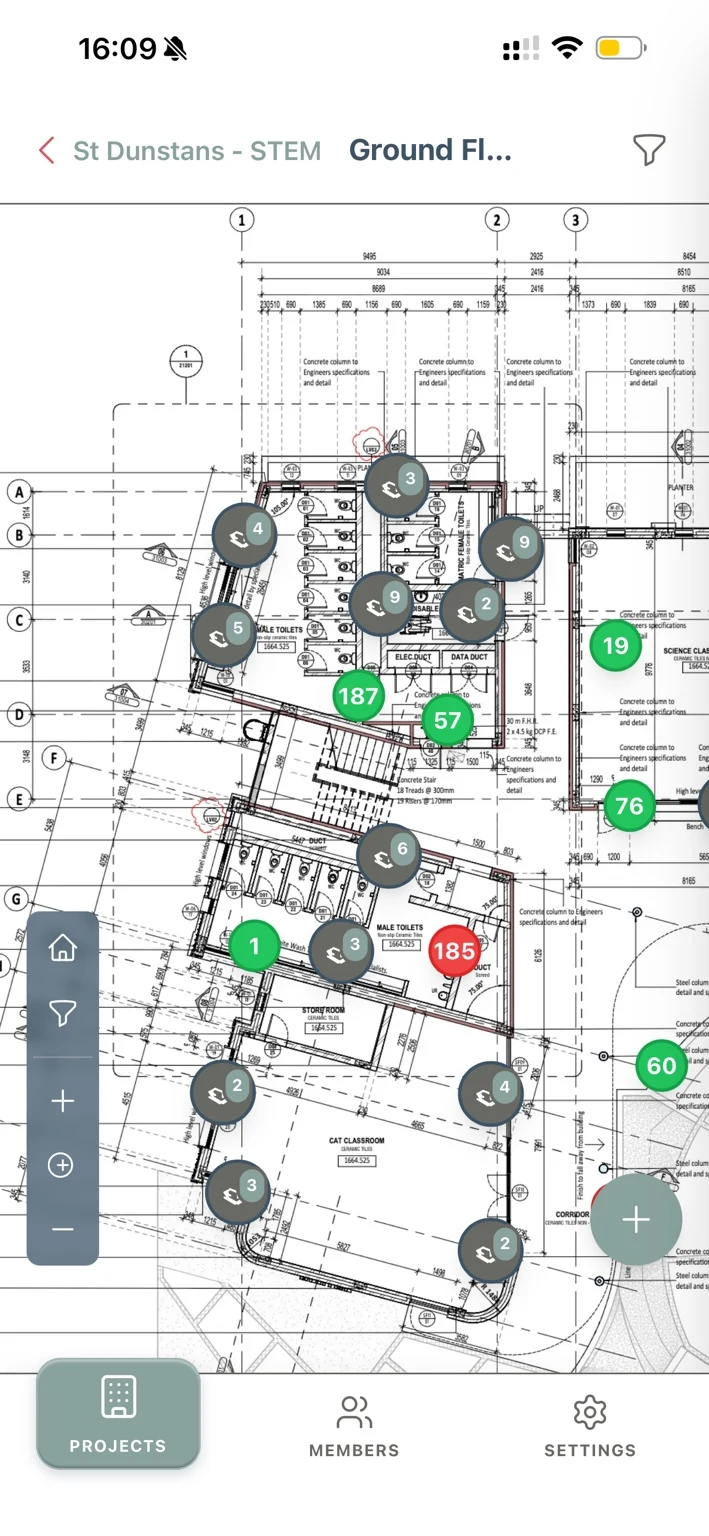
From drawing to defect to report. See SnagSwift running on iPhone, with native apps for iPhone, iPad and Android coming soon.
Pin observations to the drawing and see their status in context.
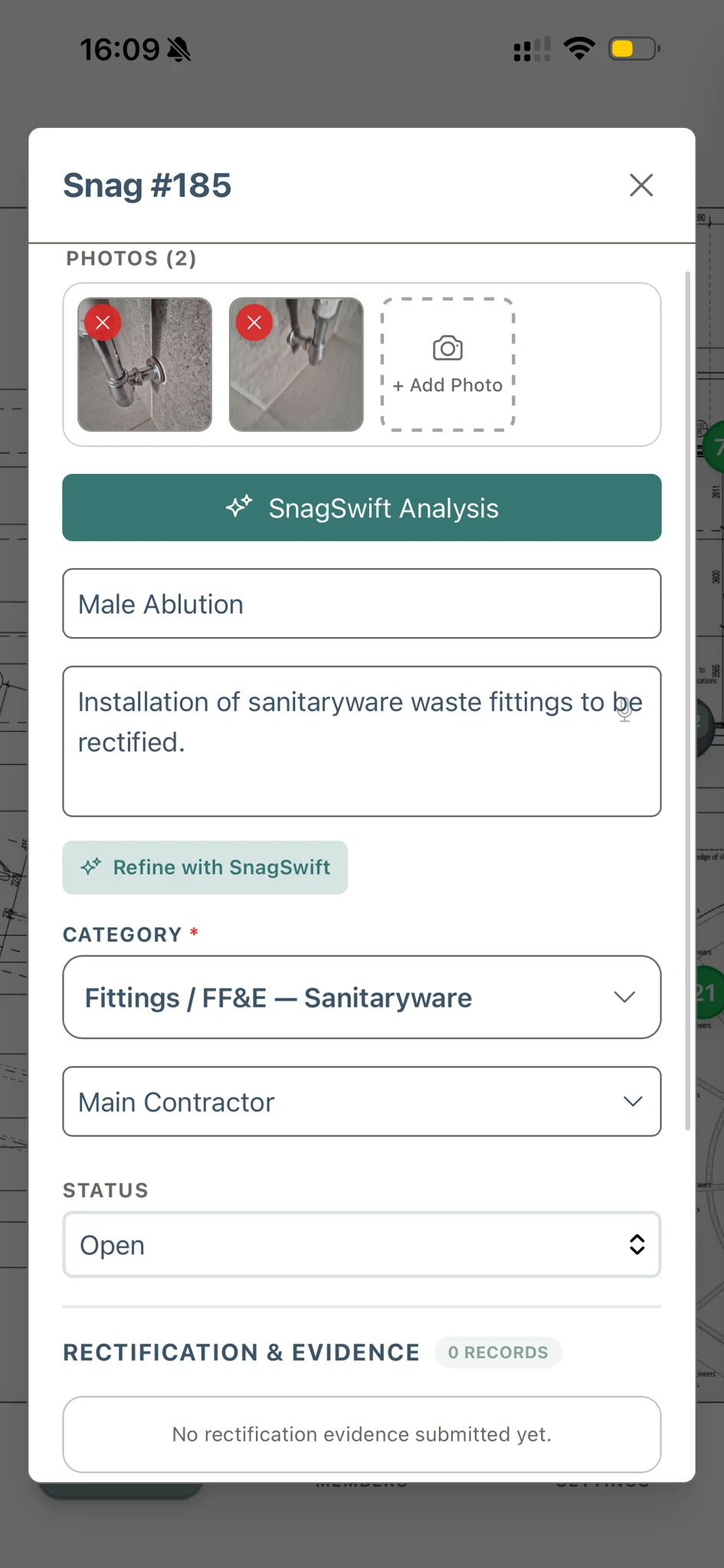
Keep photos, descriptions, categories and responsibility together.
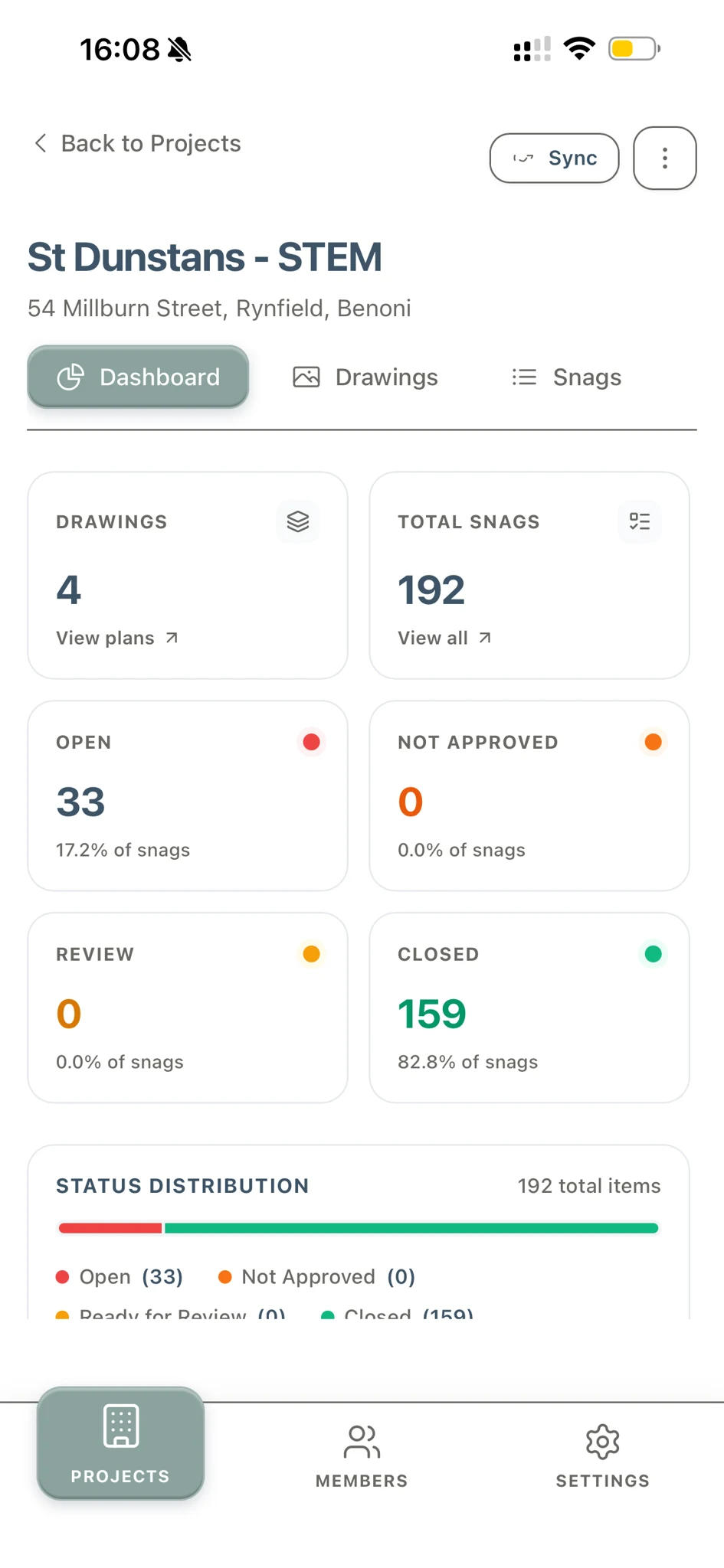
Check open items and completed work at a glance.
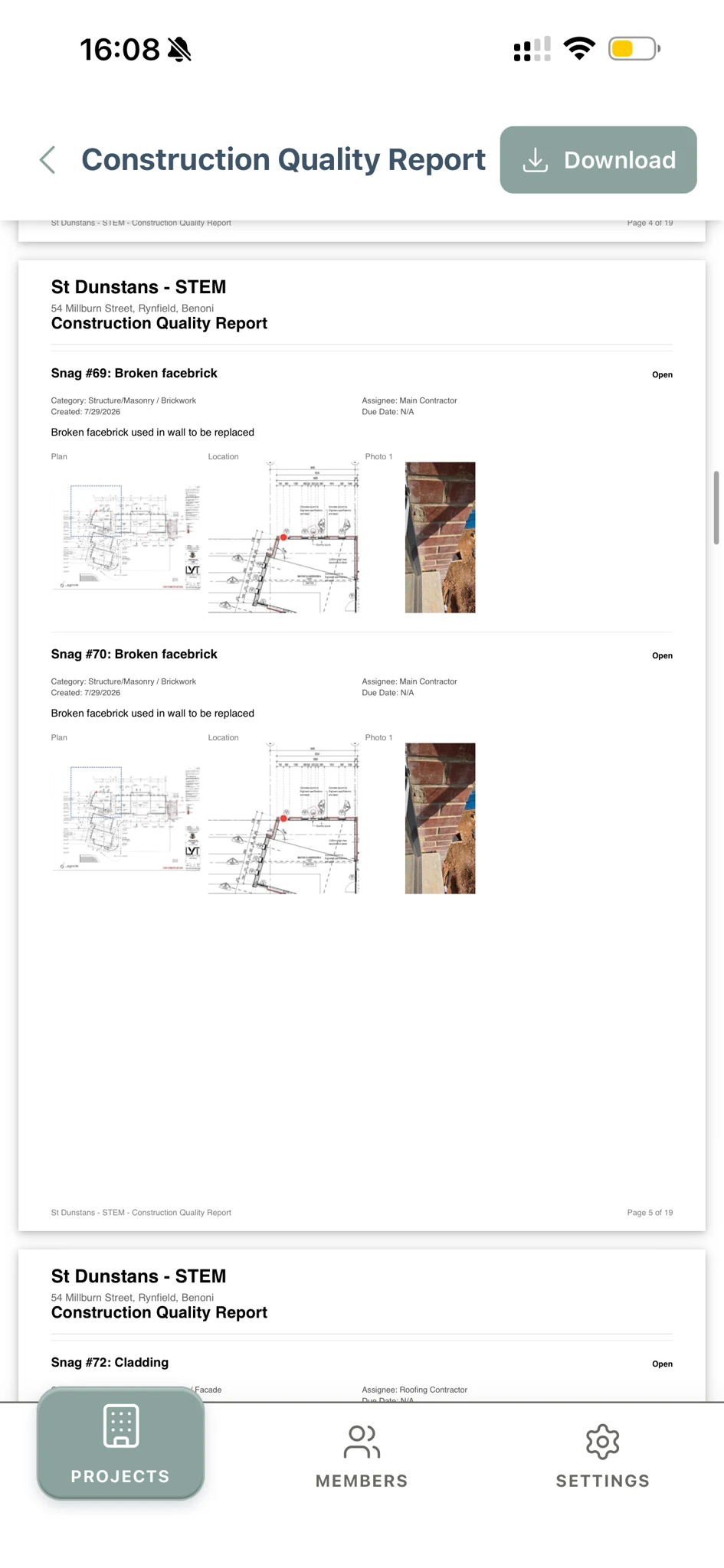
Bring drawings, locations and photographs into a professional report.
App Store and Google Play downloads will be available here when the listings are live. Use the full web app today.
SEE SNAGSWIFT AT WORK
Watch the workflow from analysis and refinement to review and reporting, across phone, tablet and desktop.
01 / PHONE
From a photograph to an AI-assisted snag description.
Playback unavailable. Open the video.
02 / PHONE
Capture a short observation offline on site. Save time in the field, then refine the wording when you reconnect.
Playback unavailable. Open the video.
03 / TABLET
Back off site and connected again, pick up the observation on your tablet. Review and refine it across devices, with the drawing and snag details together.
Playback unavailable. Open the video.
04 / DESKTOP
Bring the captured snags into a professional report.
Playback unavailable. Open the video.
THE FEATURE THAT MATTERS: TIME
Put your own workflow into the equation. See the potential value of spending less time on snag admin.
ESTIMATED MONTHLY VALUE RECOVERED
Illustrative estimate, not a performance guarantee. Adjust the assumptions for your practice. Working days assume 8 hours.
ONE WORKFLOW. WHEREVER YOU WORK.
Capture in the field. Review at your desk. Keep the drawing, report and close-out record together.

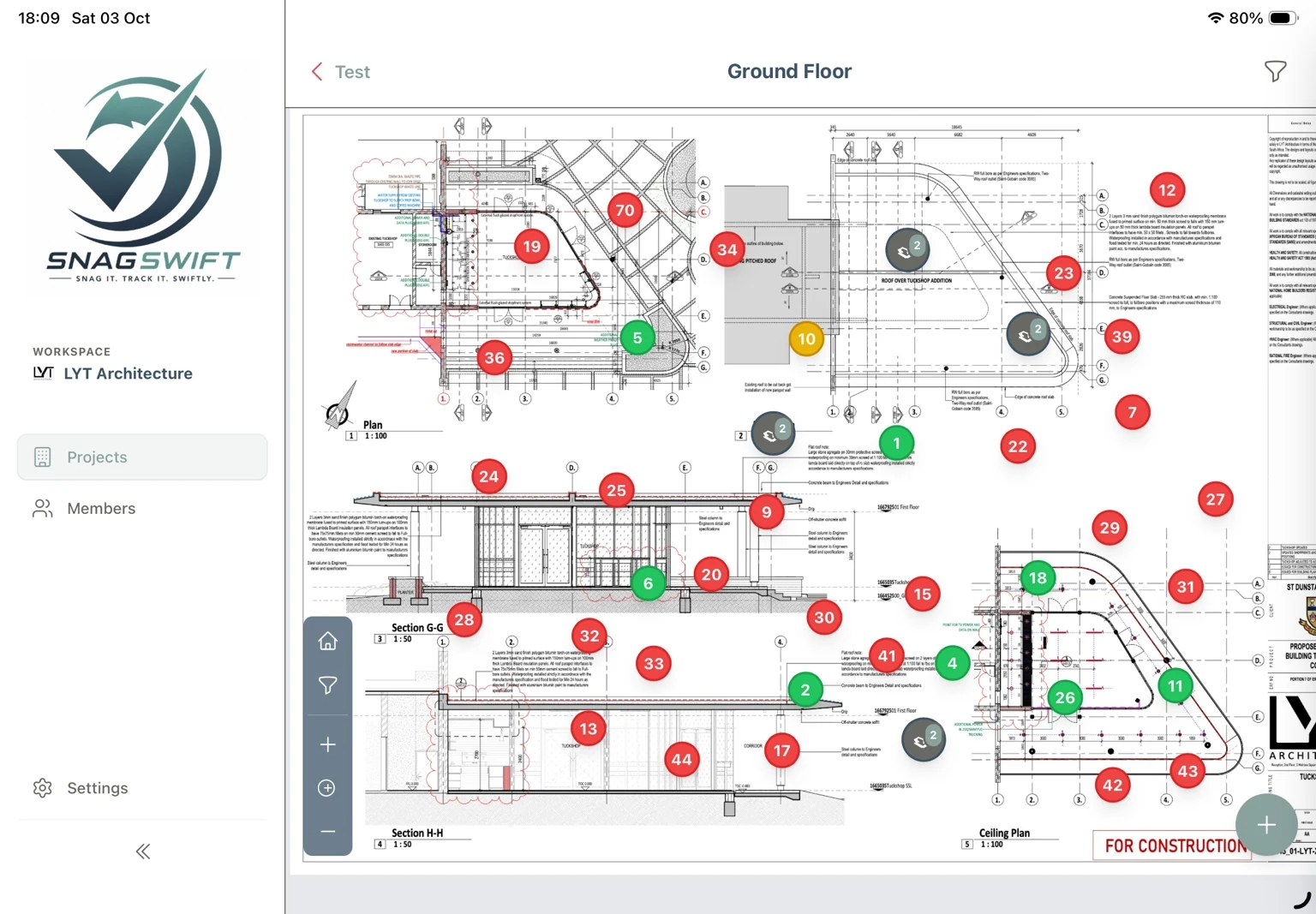
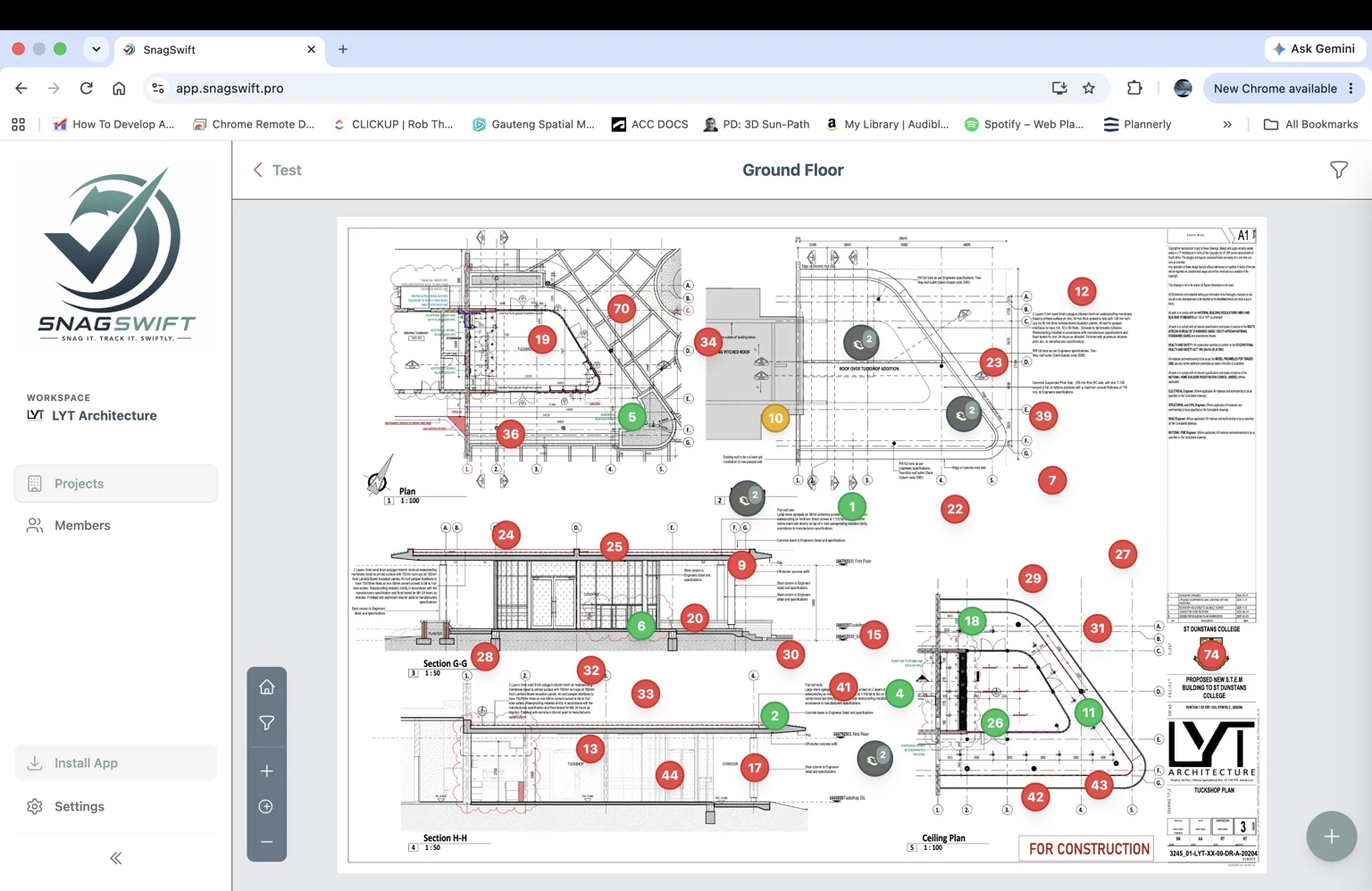
Use SnagSwift on your phone, tablet or desktop, whenever the job calls for it. Capture on site, review in the office and pick up your work on another device after syncing. The full web app is available today, with native apps coming soon.
Work on site even when connectivity doesn't cooperate, then sync when you're connected.
Put the snag where it belongs. Clear locations mean less explaining and fewer misunderstandings.
Turn captured field information into professional reports, ready to share with the people resolving the work.
BE FIRST TO HEAR
Get launch news, app availability updates and special offers.
By joining, you agree to receive SnagSwift news and offers by email. Unsubscribe at any time. Read our Privacy Policy.
GET BACK TO THE BUILDING
Less friction between seeing a problem and getting it resolved.